
Integrate Revopush OTA with Expo
This guide will help you to set up your Expo project and make first Revopush release.
Set up with an AI agent
If you use an AI coding agent (Claude Code, Cursor, Codex, Gemini CLI, etc.), you can let it do the integration for you using our official agent skills from the revopush/skills repository. The skills cover both Expo and plain React Native projects.
Install the skills — for Claude Code:
/plugin marketplace add revopush/skills
/plugin install revopush
For any other agent that supports the portable skills CLI:
npx skills add https://github.com/revopush/skillsThen ask the agent to set everything up, for example:
Integrate Revopush OTA into my Expo project. Install the SDK and the Expo config plugin, configure the deployment keys in my app config, run prebuild, and wrap my root layout with
codePush().
TIP
You still need a Revopush account, an application with deployment keys, and the Revopush CLI to publish releases. The agent only handles the in-codebase integration described below.
Prefer to do it by hand? Follow the manual steps below.
Create an application
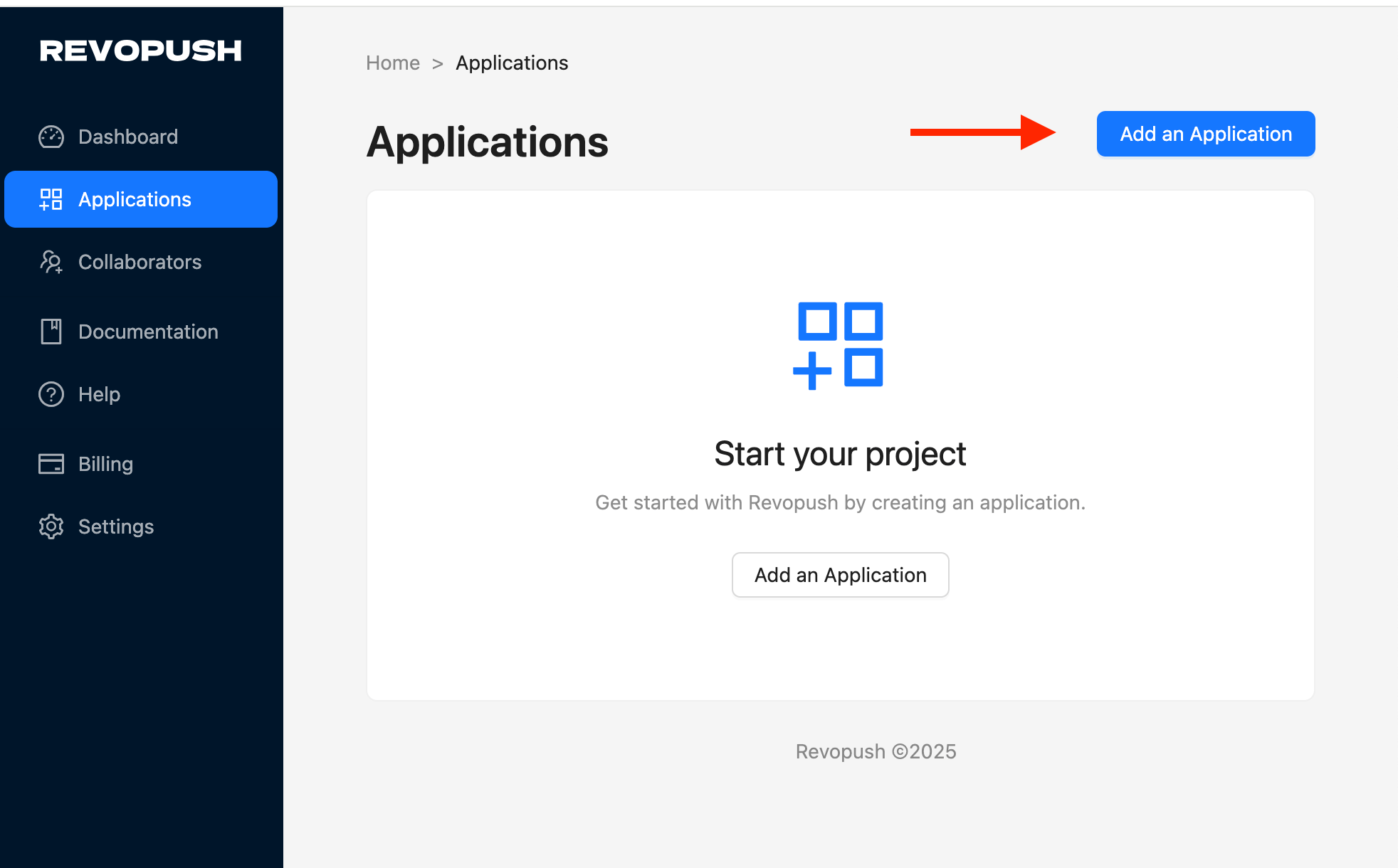
- Go to Applications and add an application
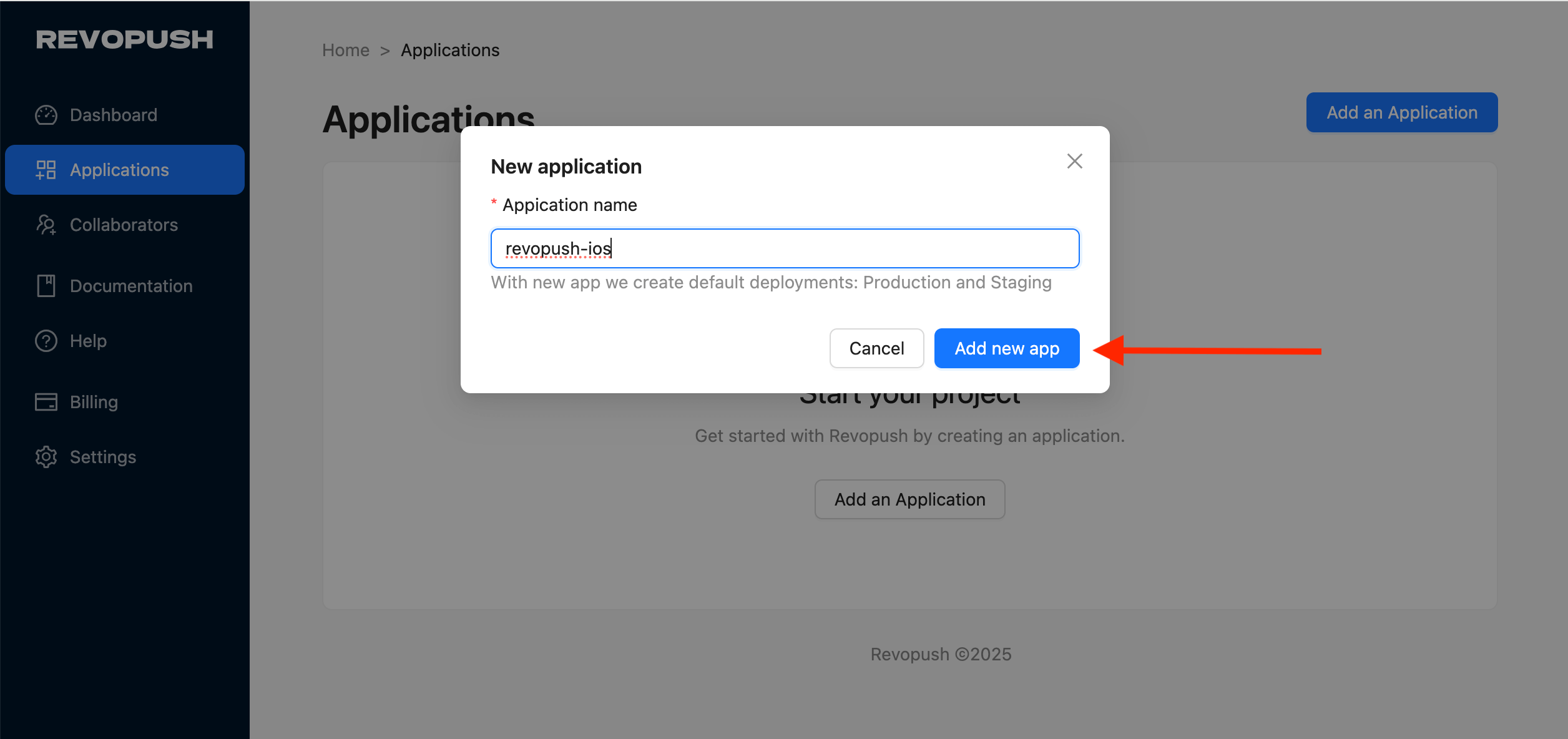
- Enter application name and save it
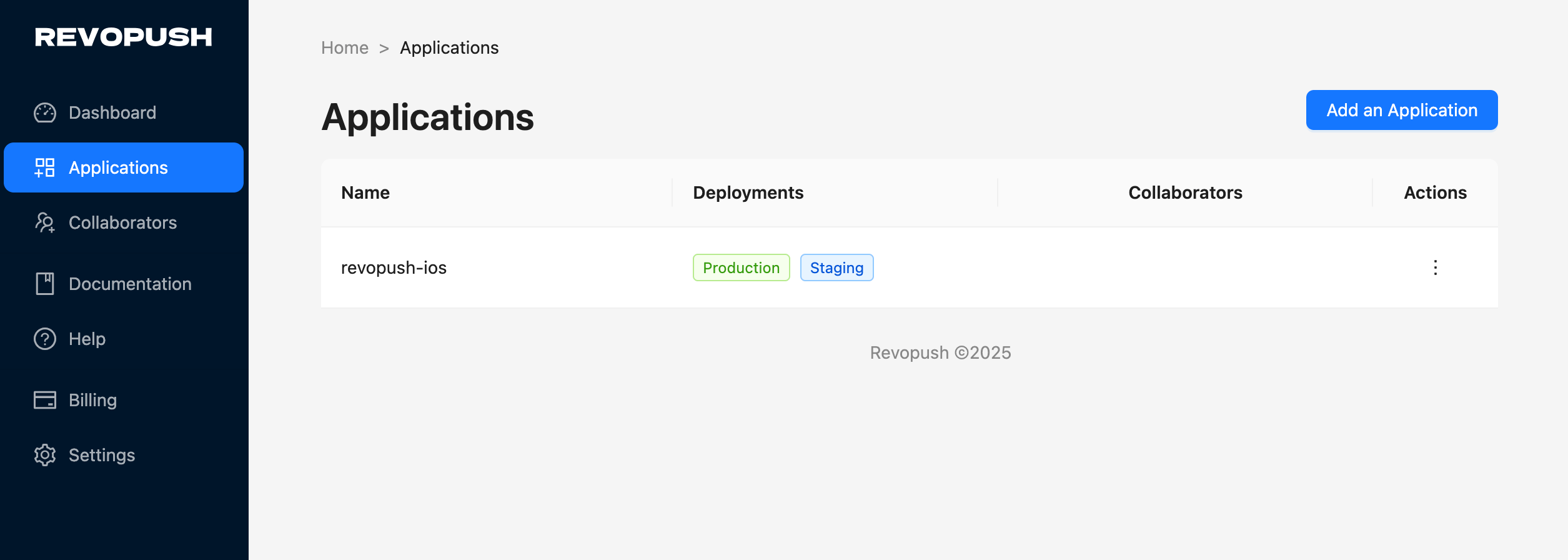
- As a result, you will see your application in the list with two deployments available out of the box
Setup Revopush SDK
Revopush SDK doesn't work with Expo Go because it requires native code changes.
| Expo SDK | Revopush SDK | Revopush Expo plugin |
|---|---|---|
| 52 – 54 | 2.5.x | 1.0.x |
| 55 and above | 2.6.x | 1.1.x |
Install Revopush SDK
npx expo install @revopush/react-native-code-pushInstall Revopush Expo plugin
npx expo install @revopush/expo-code-push-pluginSetup Expo config plugin
If you don't have, add Expo dynamic config to your project
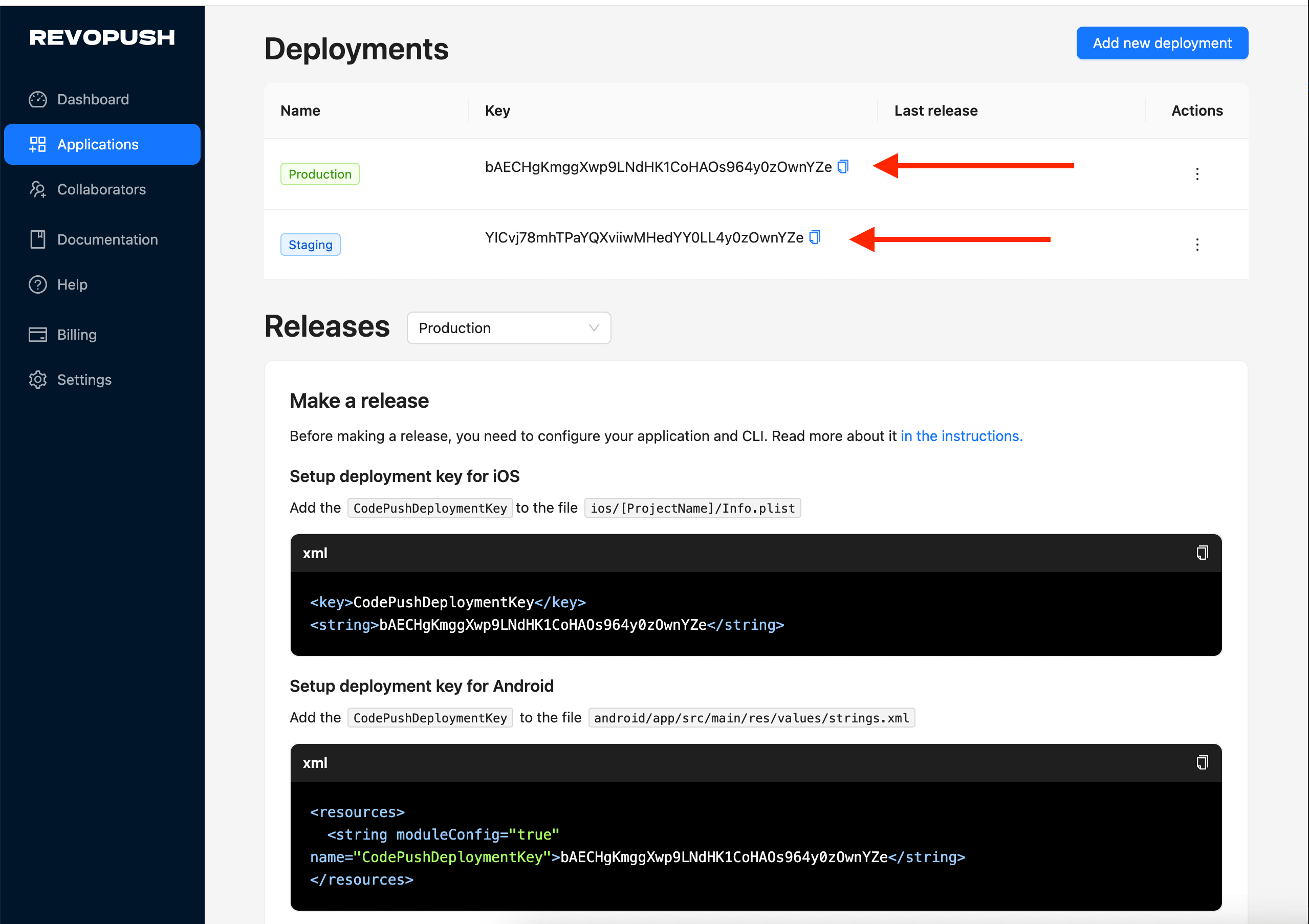
Go to app settings to get Deployment keys:
Extend Plugin section in your Expo config with:
App.json
{
  "plugins": [
    ["@revopush/expo-code-push-plugin", {
              "ios": {
                "CodePushDeploymentKey": "YOUR_DEPLOYMENT_KEY",
                "CodePushServerUrl": "https://api.revopush.org"
              },
              "android": {
                "CodePushDeploymentKey": "YOUR_DEPLOYMENT_KEY",
                "CodePushServerUrl": "https://api.revopush.org"
              }
          }
        ]
    ]
}
app.config.js
module.exports = ({ config }: { config: ExpoConfig }) => ({
    ...config,
    plugins: [
        ["@revopush/expo-code-push-plugin", {
            ios: {
                CodePushDeploymentKey: 'YOUR_DEPLOYMENT_KEY',
                CodePushServerUrl: 'https://api.revopush.org'
            },
            android: {
                CodePushDeploymentKey: 'YOUR_DEPLOYMENT_KEY',
                CodePushServerUrl: 'https://api.revopush.org'
            }
        }]
    ],
});
Run prebuild command to generate native ios and android folders
npx expo prebuild --cleanWARNING
If you faced with ios target version error, add expo-build-properties plugin and set ios deploymentTarget to 15.5
JS configuration
Configure the SDK in the JavaScript layer of your expo app (minimal setup):
import codePush from "@revopush/react-native-code-push";

function RootLayout() {}

export default codePush(RootLayout);
Configure CLI
After registration, install the Revopush CLI.
npm install -g @revopush/code-push-cliLogin to Revopush CLI using the following command:
revopush loginThis will launch a browser, asking you to authenticate with either your GitHub or Google account. This will generate an access key that you need to copy/paste into the CLI (it will prompt you for it). You are now successfully authenticated and can safely close your browser window.
Opening your browser...
Visit https://app.revopush.org/cli-login?hostname=<YOUR_HOST_NAME> and enter the code

Enter your access key:
Read more about Revopush CLI
Make a release
Release an update using the Revopush CLI:
revopush release-expo <APPLICATION_NAME> android -d <DEPLOYMENT_NAME> --mandatory
revopush release-expo <APPLICATION_NAME> ios -d <DEPLOYMENT_NAME> --mandatory
Command revopush release-expo supports the same flags as revopush release-react but require @expo/cli to be installed.
Test locally
To test Revopush on your simulator or device you need to run application in release mode.
For Android:
npx expo run:android --variant release --no-bundlerFor iOS:
npx expo run:ios --configuration ReleaseWARNING
Every time you change Revopush settings inside app config you need to run npx expo prebuild --clean to apply these changes on native side
Troubleshooting
If you see this message in logs:
The error message: Update is invalid - A JS bundle file named "null" could not be found within the downloaded contents. Please check that you are releasing your
CodePush updates using the exact same JS bundle file name that was shipped with
your app's binary.
You will probably need to remove expo-updates package.
npm uninstall expo-updatesThen remove expo-updates specific app config properties and run prebuild to uninstall native expo-updates dependencies
npx expo prebuild --clean